 Super
Super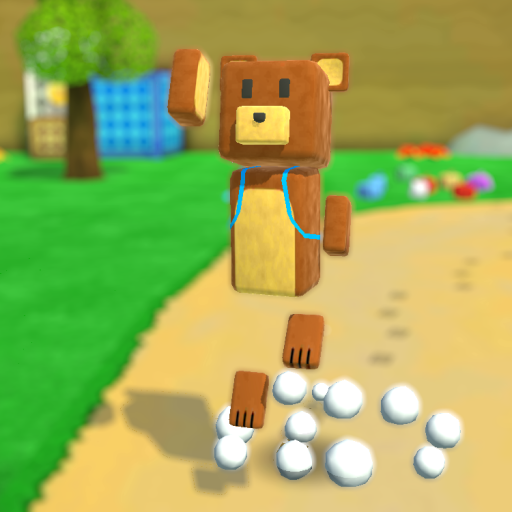
Play Super Bear Adventure Online
Free game super bear adventure in your browser · HTML5 WebGL · No download
This page is built for one goal: let you play Super Bear Adventure online without visiting the homepage first. Use the player below, press PLAY GAME, and the Unity WebGL build loads inside the frame. SuperBear.site is an independent fan portal — not the official publisher. Learn more on the SuperBear.site home page.
Loading Super Bear Adventure
Preparing...
How to play Super Bear Adventure in your browser
- Stay on https://superbear.site/play/ — this is the direct play URL.
- Click PLAY GAME in the player above.
- Watch the progress bar until loading reaches 100%.
- Click or tap inside the game area so keyboard or touch controls register.
- Optional: use Fullscreen for a larger view on phones or small laptops.
About this browser game
Super Bear Adventure is a 3D platformer where you explore hubs, collect items, and unlock areas. On this page you play the WebGL / HTML5 version — the same kind of experience people search for as “game super bear” or “super bear adventure online” — streamed to your device with no app store install.
Controls and gameplay tips
Desktop
- Move with WASD or arrow keys (in-game layout may vary).
- Jump and interact with the keys shown in the game’s tutorial.
- Click the canvas once if keys do not respond.
Mobile and tablet
- On-screen controls appear when supported by the build.
- Use landscape orientation and fullscreen when possible.
- A recent version of Chrome or Safari is recommended.
Supported devices and browsers
The game runs on modern desktop browsers (Chrome, Edge, Firefox, Safari) with WebGL enabled. Many Android and iOS devices work, but performance depends on memory and GPU — low-end phones may stutter or fail to load the full build.
- Desktop: best experience; wired or Wi‑Fi connection recommended for first load.
- Mobile: playable on mid-range and flagship phones; close other tabs to free RAM.
- Not supported: very old browsers without WebGL, or environments that block large downloads.
Loading and troubleshooting
- Slow first load: the Unity build is about 70 MB. Wait until the bar completes; cached visits are faster.
- Black screen: refresh once, disable ad blockers for superbear.site, and allow JavaScript.
- WebGL errors: update your browser and graphics drivers; try another browser.
- Sound or input: interact with the game frame after loading; unmute the browser tab if needed.
Super Bear Adventure online — FAQ
Can I play live Super Bear Adventure here?
Yes — in the sense of playing the game live in your browser on this page. There is no separate “live stream” mode; you run the interactive WebGL game directly after clicking PLAY GAME.
Is Super Bear Adventure 2 or Super Bear Adventure 3 on this site?
No. Searches for super bear adventure 2 or super bear adventure 3 usually refer to other releases or apps. SuperBear.site only hosts the single browser build shown in the player above — not sequels.
Do you offer Super Bear Adventure beta or Super Bear beta?
No. Beta builds are not published here. If you need official beta access, use the rights holder’s channels — not this fan portal.
Where can I get Super Bear mods?
This site does not host super bear mods or mod installers. Only the standard browser game is available to play.
Is there a Super Bear film to watch on SuperBear.site?
No. Queries like film super bear refer to video content, not this playable page. SuperBear.site provides the game only.
Is this the official Super Bear Adventure website?
No. SuperBear.site is an independent fan portal. Trademarks and game rights belong to their respective owners. We are not affiliated with the original developer or publisher.